TRON 2 · DOCUMENTATION
Example · processing & dataset
This page has not been translated and displays the Chinese reference. Navigation and search are available in English. Operational details must be checked against the applicable manual.
4. 数据处理
4.1 数据标注
| 1. 在具身平台的数据界面,勾选需要进行数据标注的数据,点击「标注」(可通过高级搜索按项目筛选数据) |
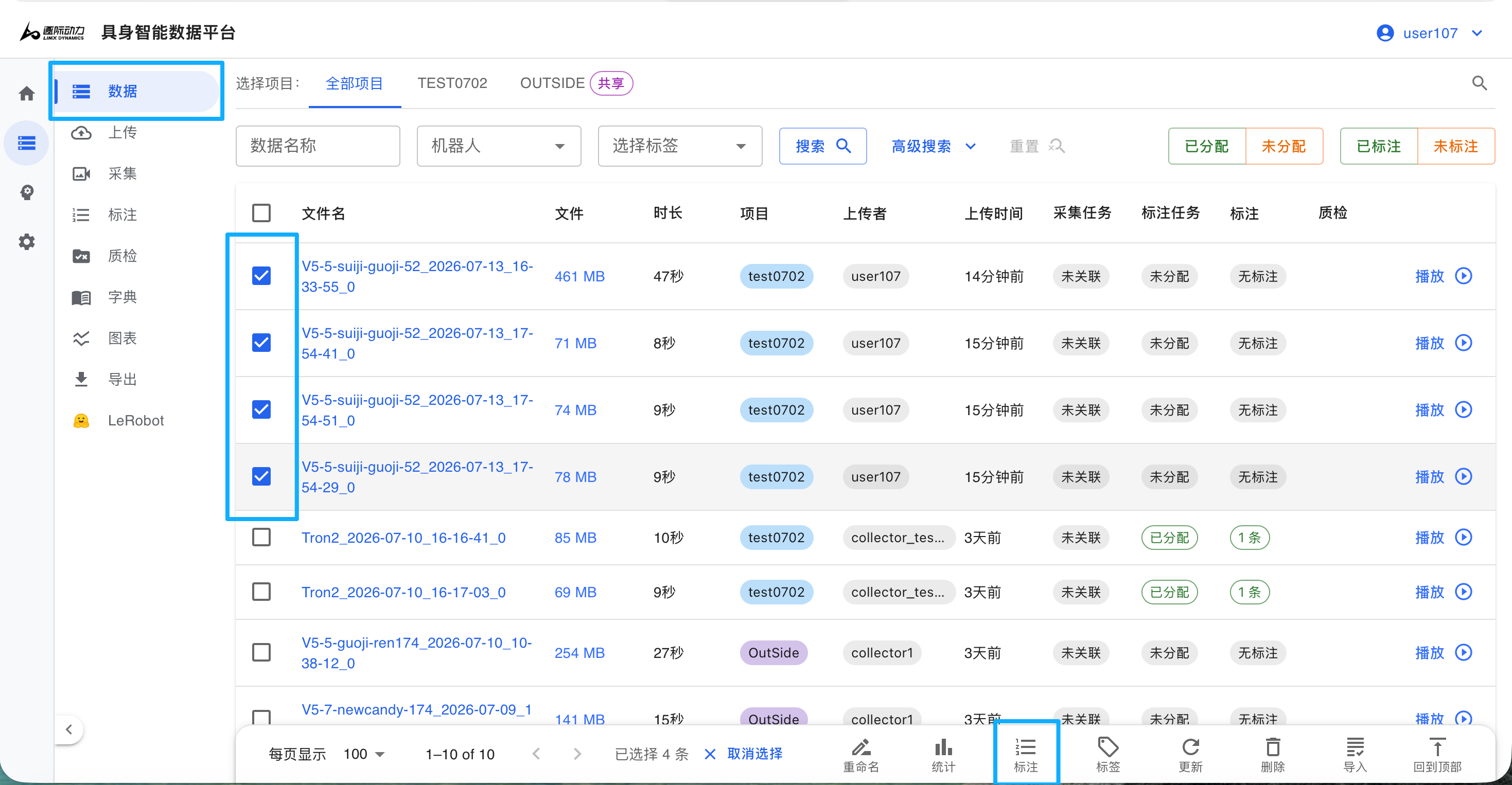
1、选择待标注数据
|
2.选择标注方式:创建新任务 / 追加旧任务 / 快速标注(不创建任务),并填写相关信息;
|
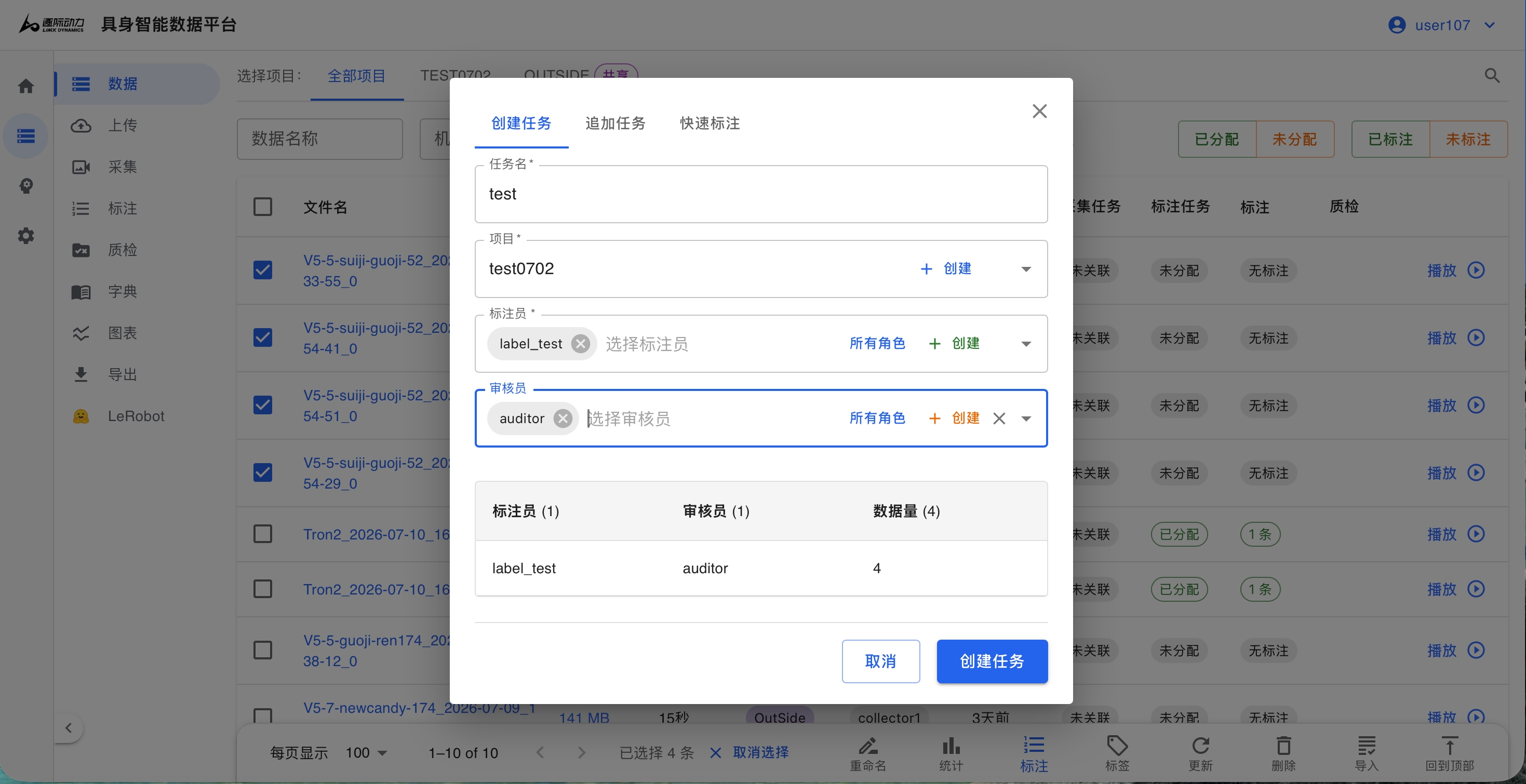
2、选择任务
|
3.开始标注:可逐条点击标注,也可选择批量标注一次性处理全部所选数据;
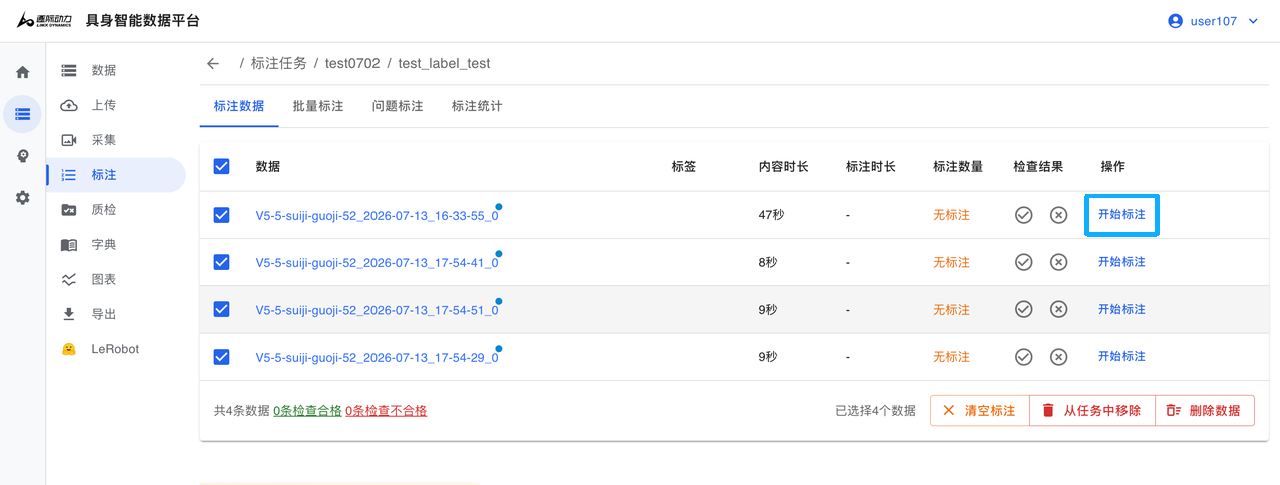
逐条标注
|
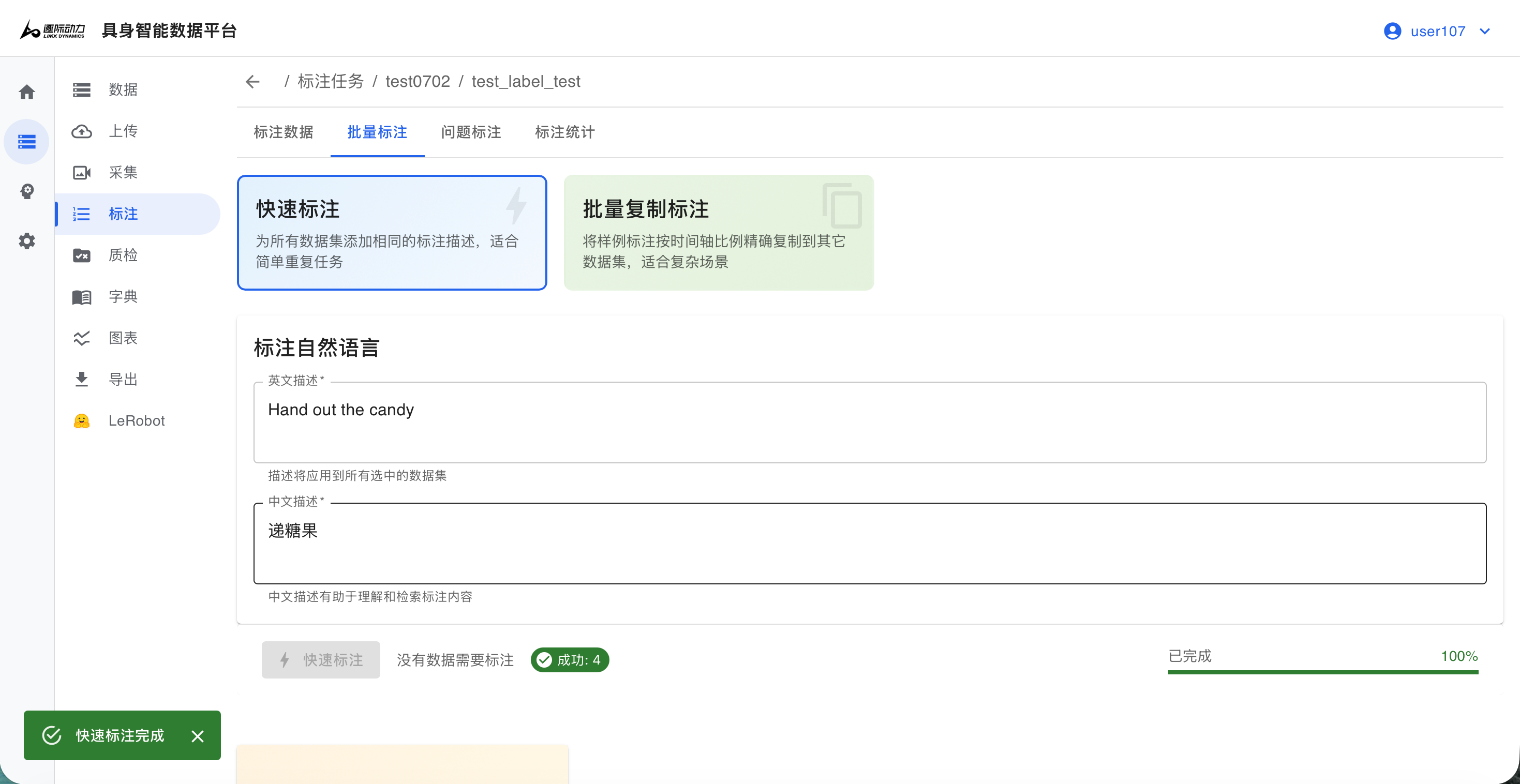
批量标注
|
4.2 数据导出
| 1. 点击左侧导航栏「导出」,选择所需的数据格式; |
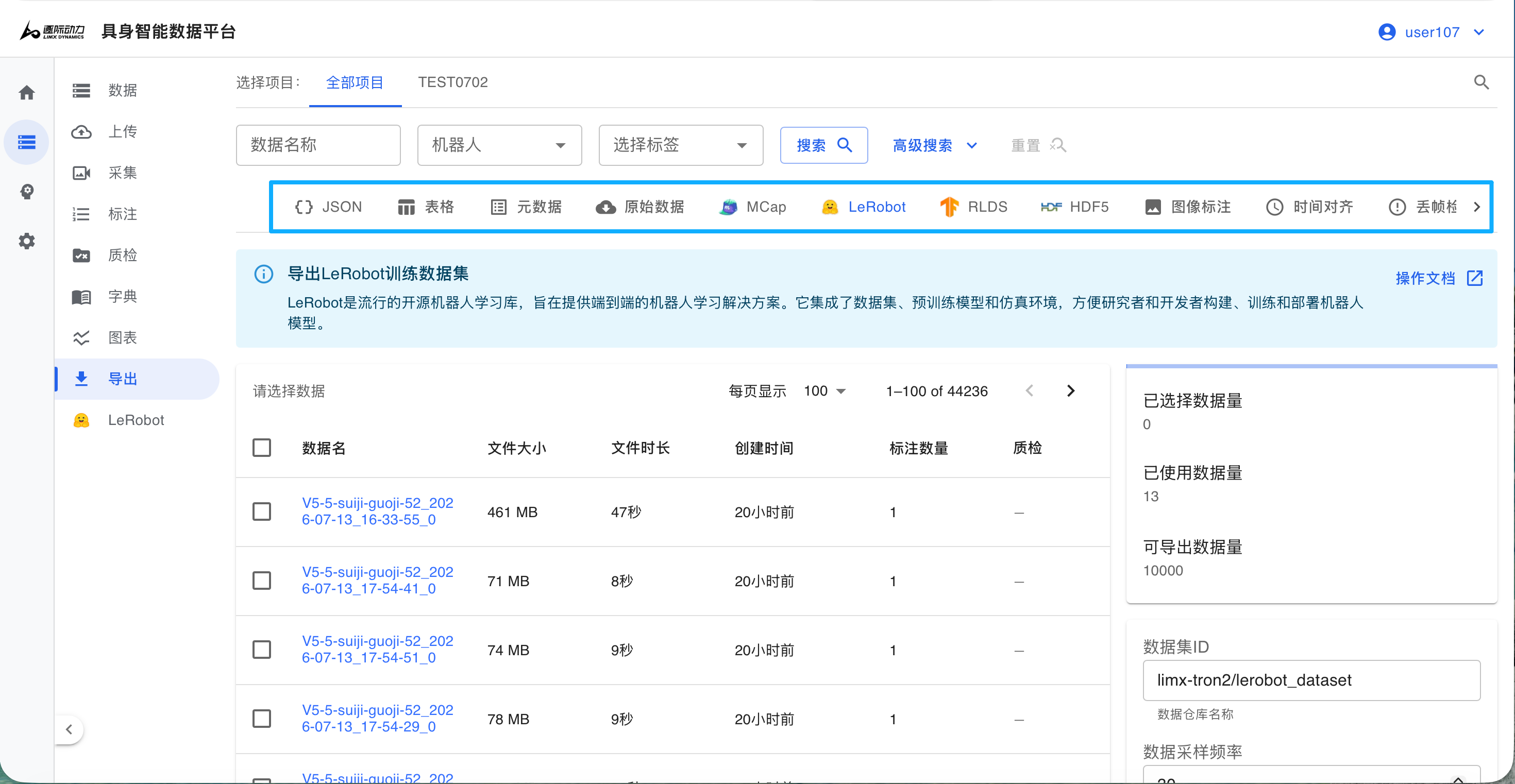
1、选择导出格式
|
| 2. 若选择Pi05作为Baseline,建议将数据导出为LeRobot格式,便于直接对数据集进行训练; |
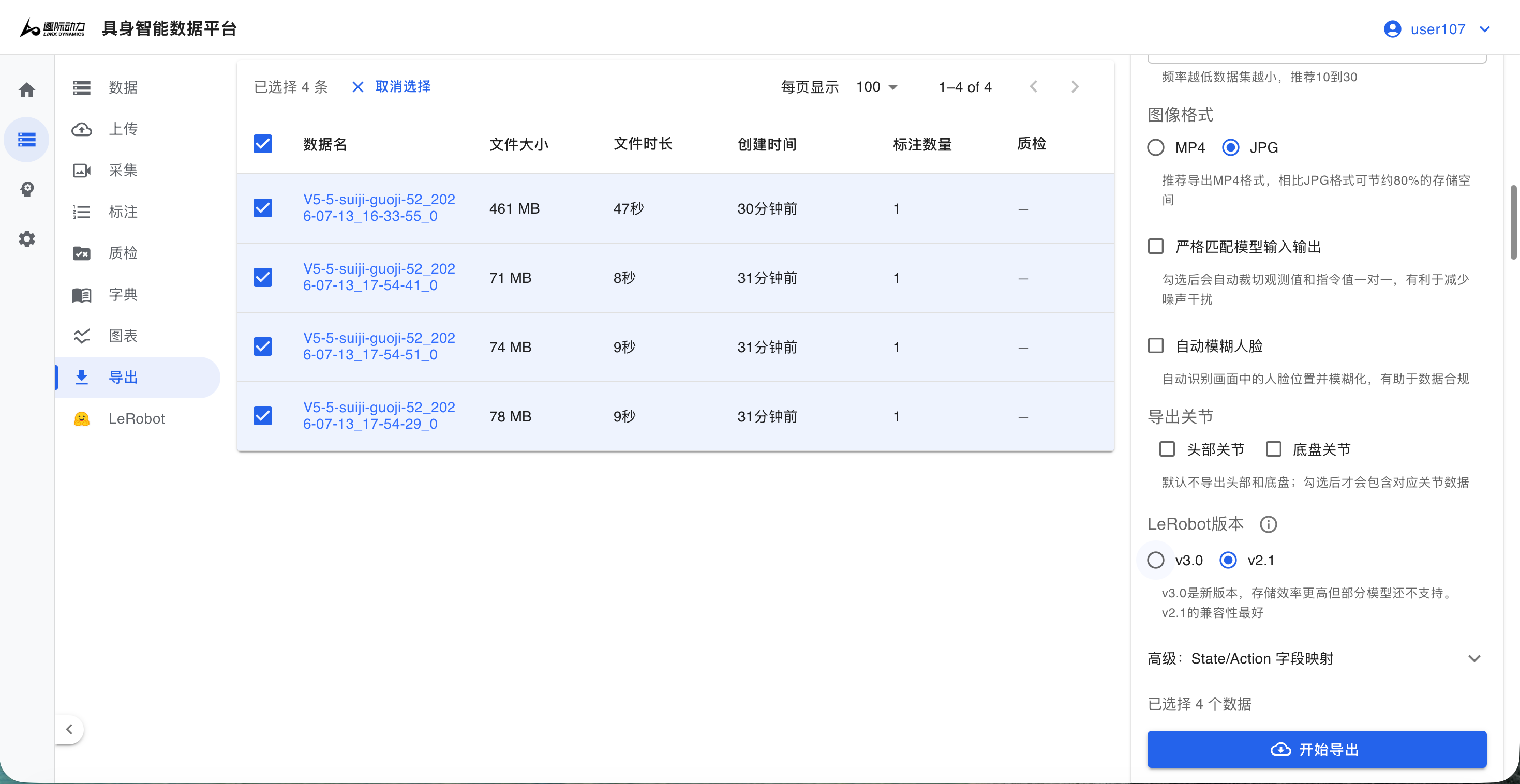
2、选择数据
|
💡
此外我们也额外开源了数据转换脚本limx_mcap2lerobot.zip 可在用户自有的高性能服务器上运行,提供更高的灵活性和计算能力,适合有一定定制化需求的场景
4.3 数据集验证
~/Desktop/lerobot_dataset$ tree -d
.
├── data
│   └── chunk-000
├── meta
│   └── episodes
│       └── chunk-000
└── videos
    ├── observation.images.cam_high
    │   └── chunk-000
    ├── observation.images.cam_left_wrist
    │   └── chunk-000
    └── observation.images.cam_right_wrist
        └── chunk-000
5. 数据集说明
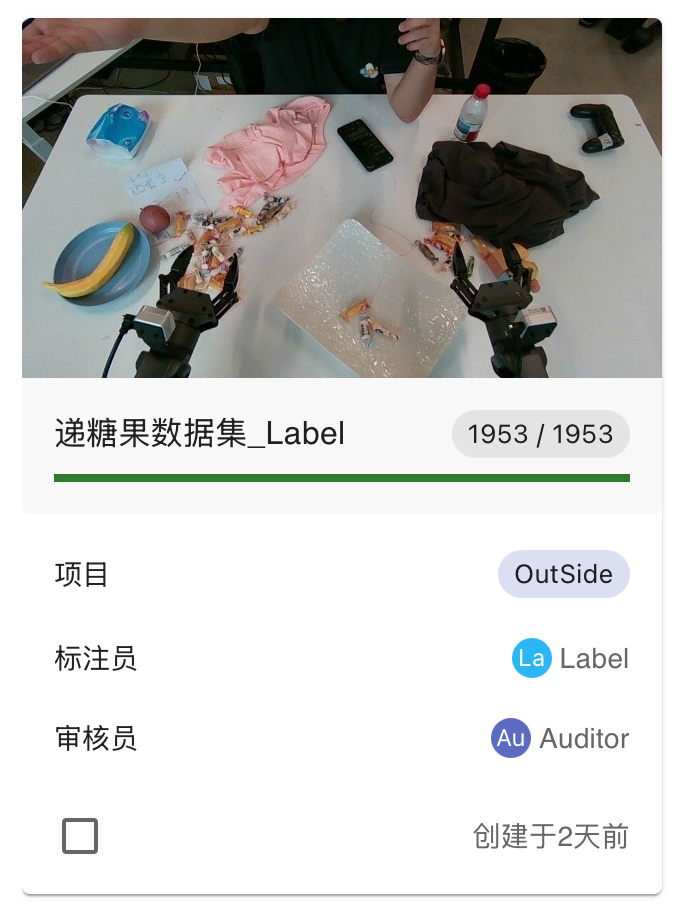
- 数据集统计:
|
|
NEXTExample · model training