Installation · before the session
Excerpted from the supplied English User Manual v1.4. Chinese editorial corrections and later confirmations may not be synchronized. Check the Chinese reference where the two differ.
Configuration: dual-arm details apply only to dual-arm/mobile dual-arm robots. Older instructions differ in power timing, light names and homing motion; check the operational guidance and version notes on this page.
1.3 Packing List
- Flight Case
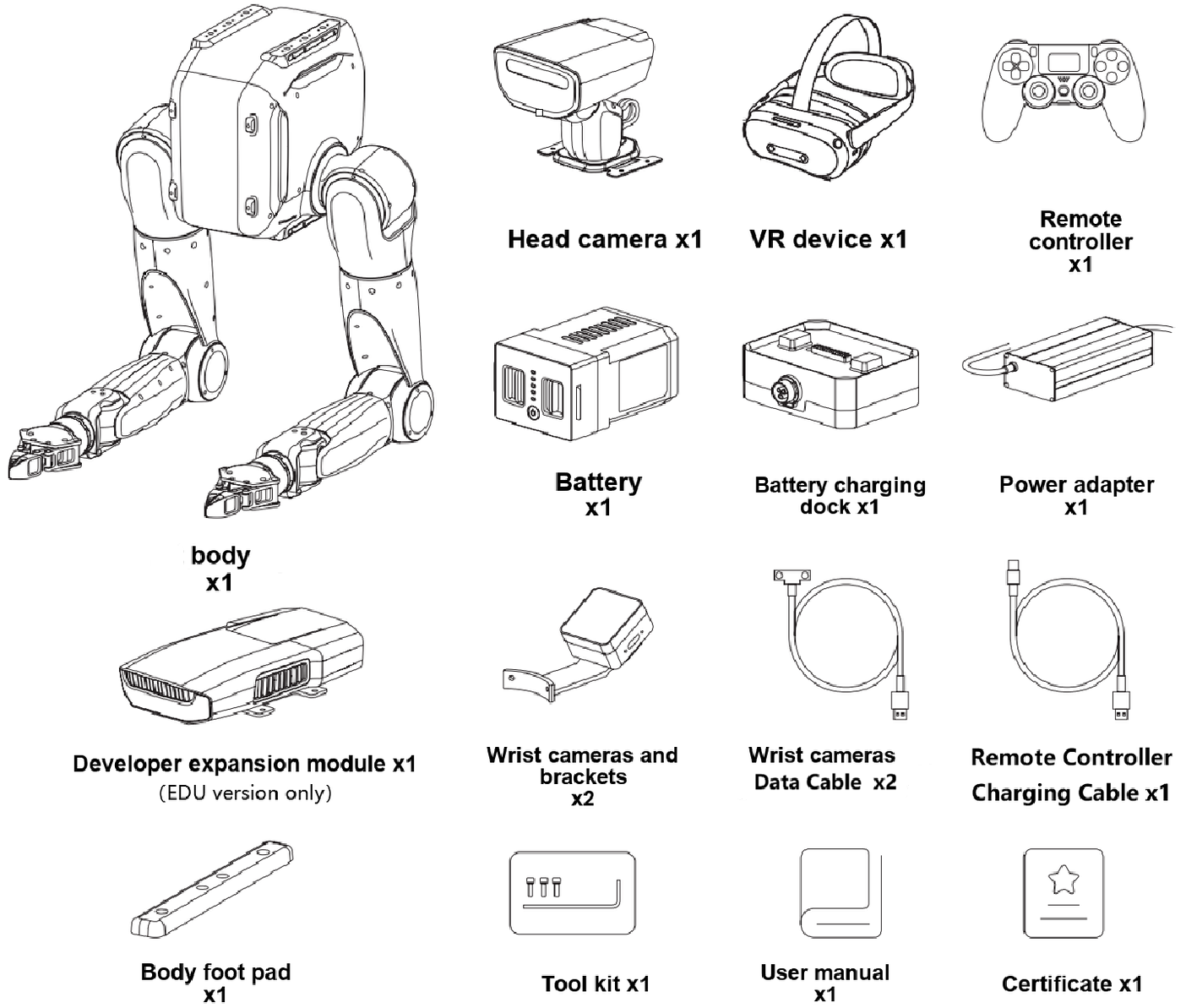
|
Carton
|
Carton
|
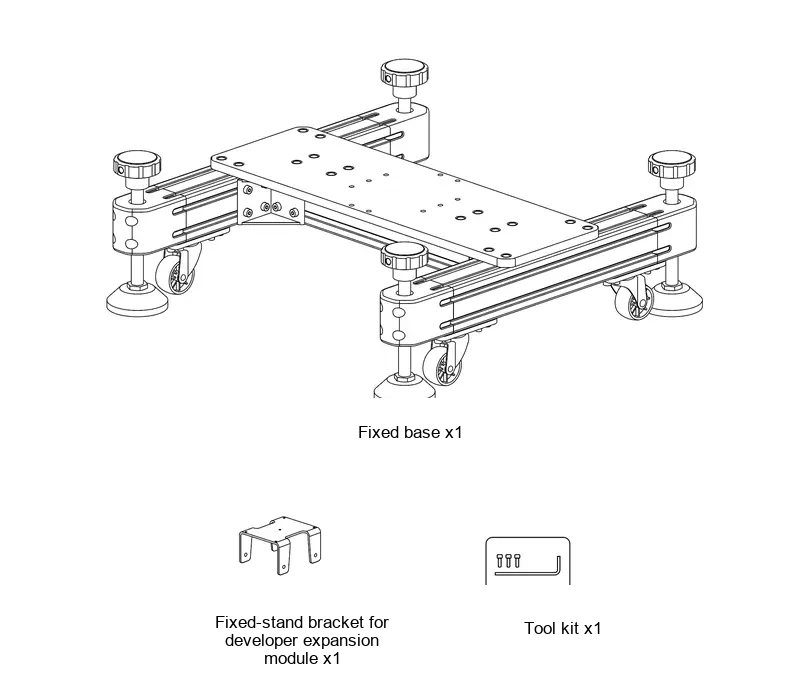
|
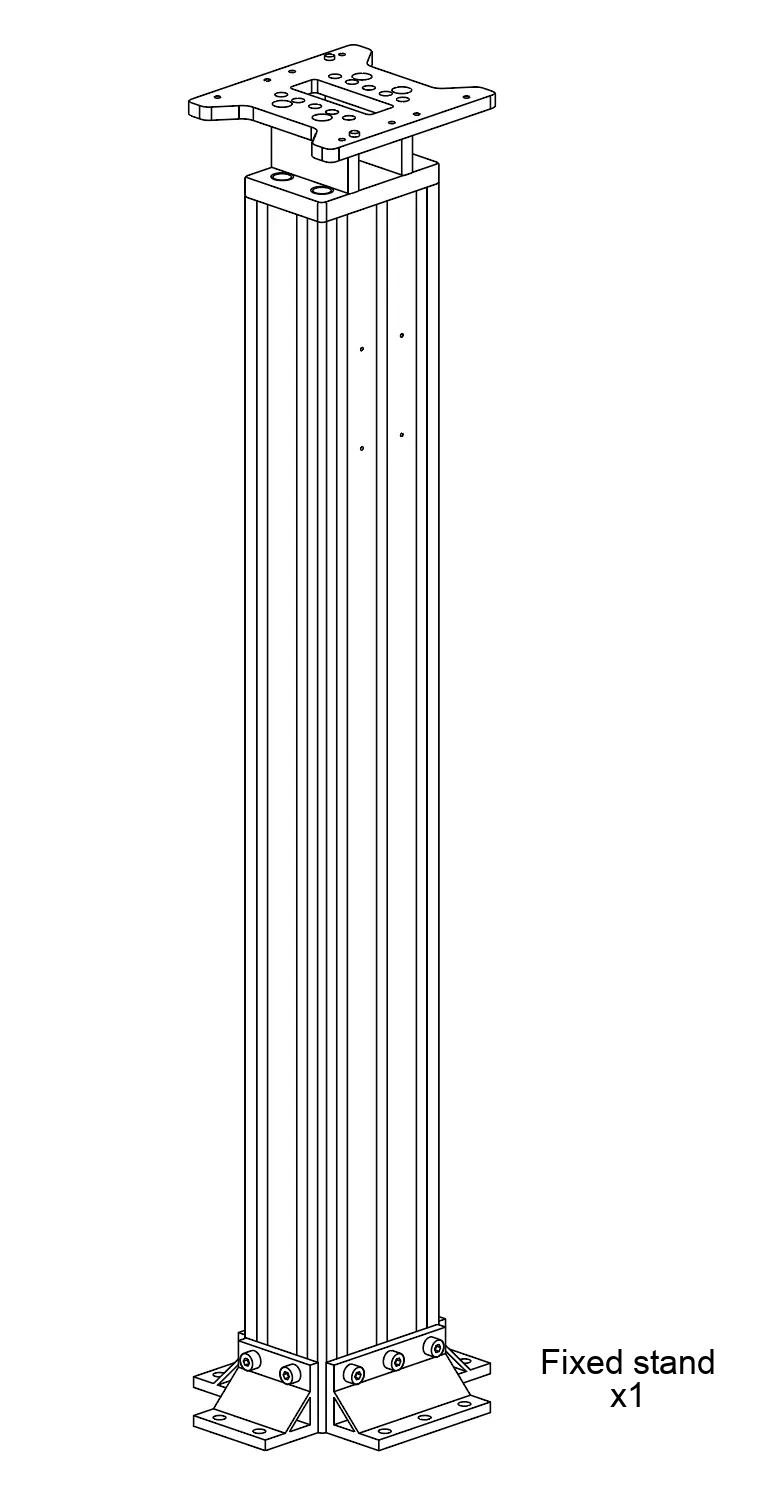
|
- Carton
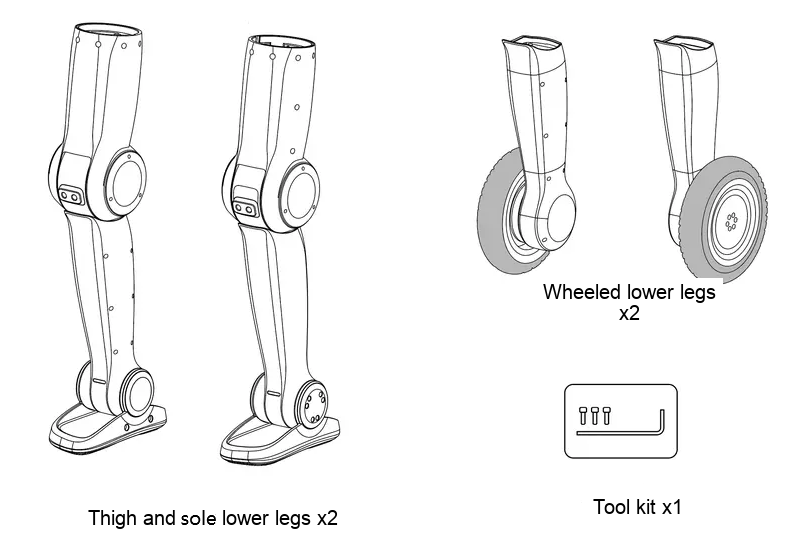
- Carton
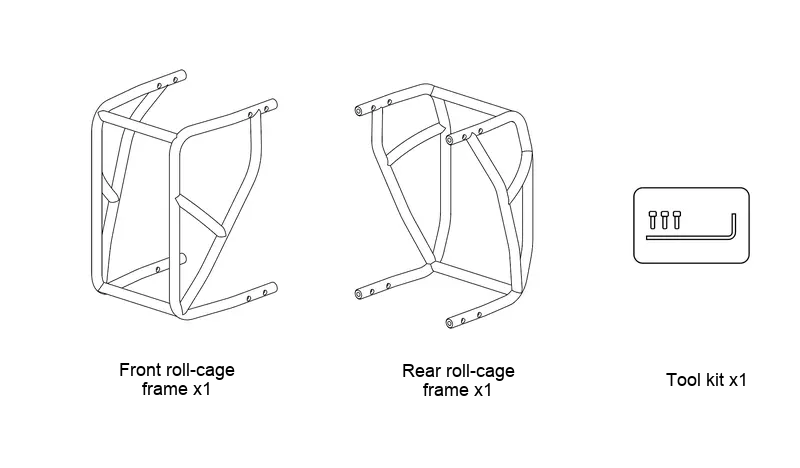
|
Wooden Crate (Equipped on mobile dual-arms version only)
|
Carton (Equipped on mobile dual-arms version only)
|
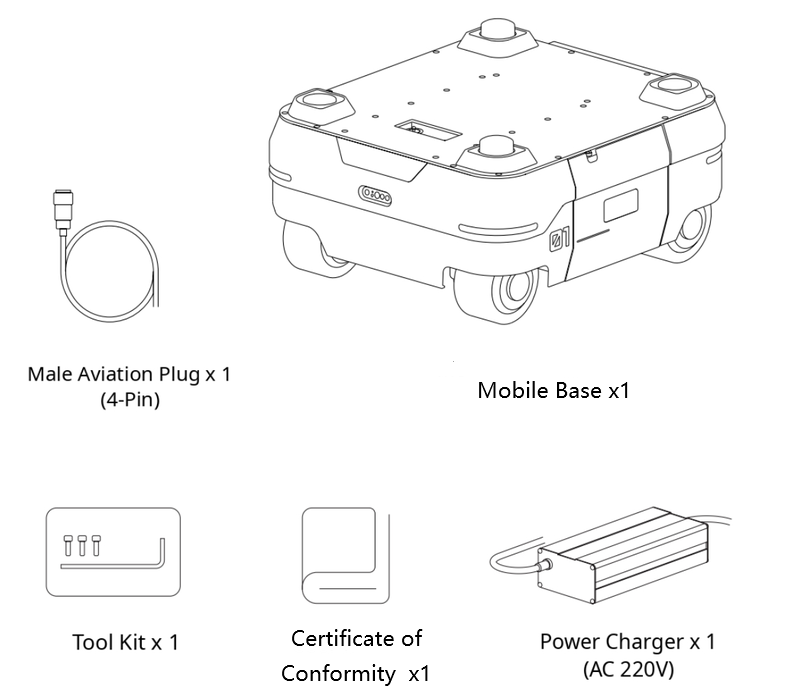
|
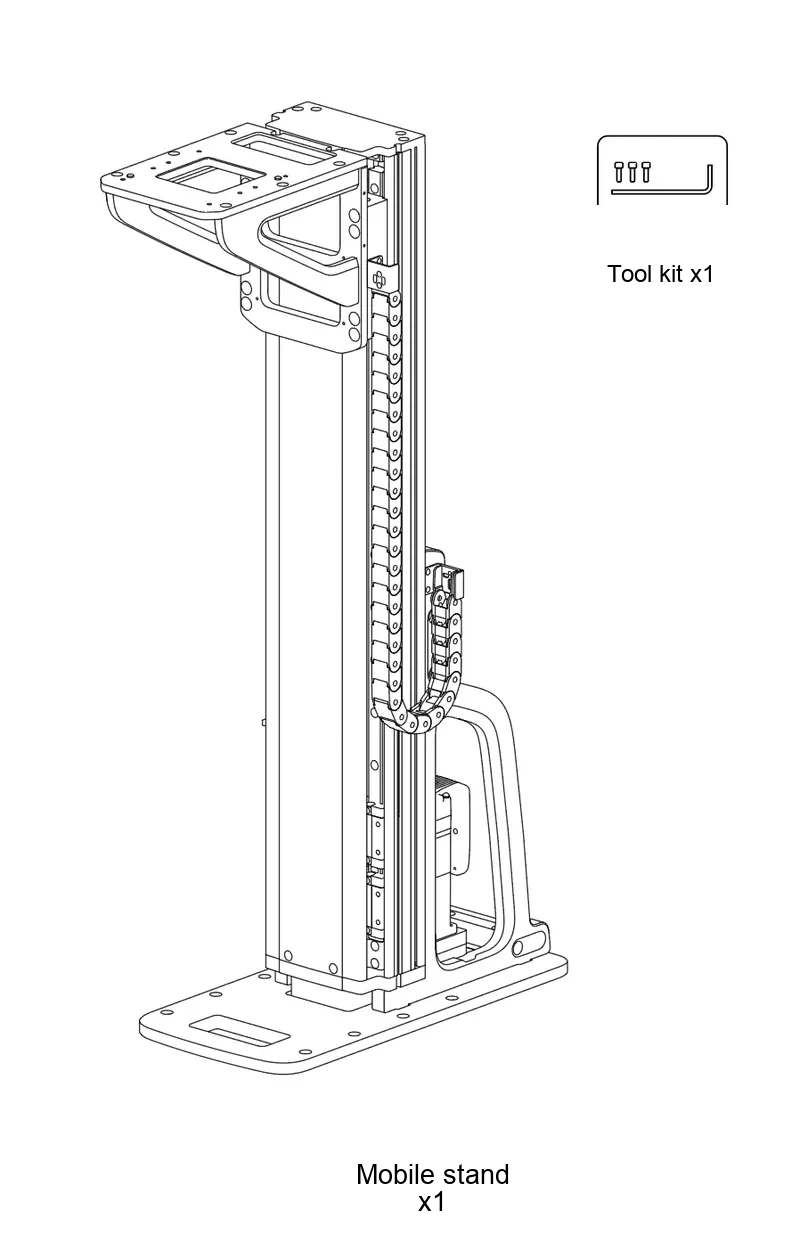
|
1.6 Installation Guide
1.6.1 Installation Video Guide
| Item No. | Video Title | Video Links |
|---|---|---|
| 1 | Unboxing | English installation video omitted by editorial decision |
| 2 | Dual-Arm Installation | English installation video omitted by editorial decision |
| 3 | Wheeled-Foot Installation | English installation video omitted by editorial decision |
| 4 | Wheeled-Foot Sole Switching | English installation video omitted by editorial decision |
| 5 | Anti-Roll Bar Installation | English installation video omitted by editorial decision |
| 6 | Remote Controller Pairing | English installation video omitted by editorial decision |
| 7 | Packing | English installation video omitted by editorial decision |
| 8 | Dual-Arm Remote Control | English installation video omitted by editorial decision |
| 9 | Wheeled-Foot Remote Control | English installation video omitted by editorial decision |
| 10 | Dual-Arm Teleoperation | English installation video omitted by editorial decision |
| 11 | Network Setup | English installation video omitted by editorial decision |
| 12 | Zero Calibration | English installation video omitted by editorial decision |
1.6.2 Pre-Power-On Wiring Check
Never connect a 24 V power cable to a 48 V port. Connecting a power cable incorrectly may damage the robot hardware.
Mandatory Checks Before Power-On
- Verify that the robot, power adapter, and Mobile Base are all powered off.
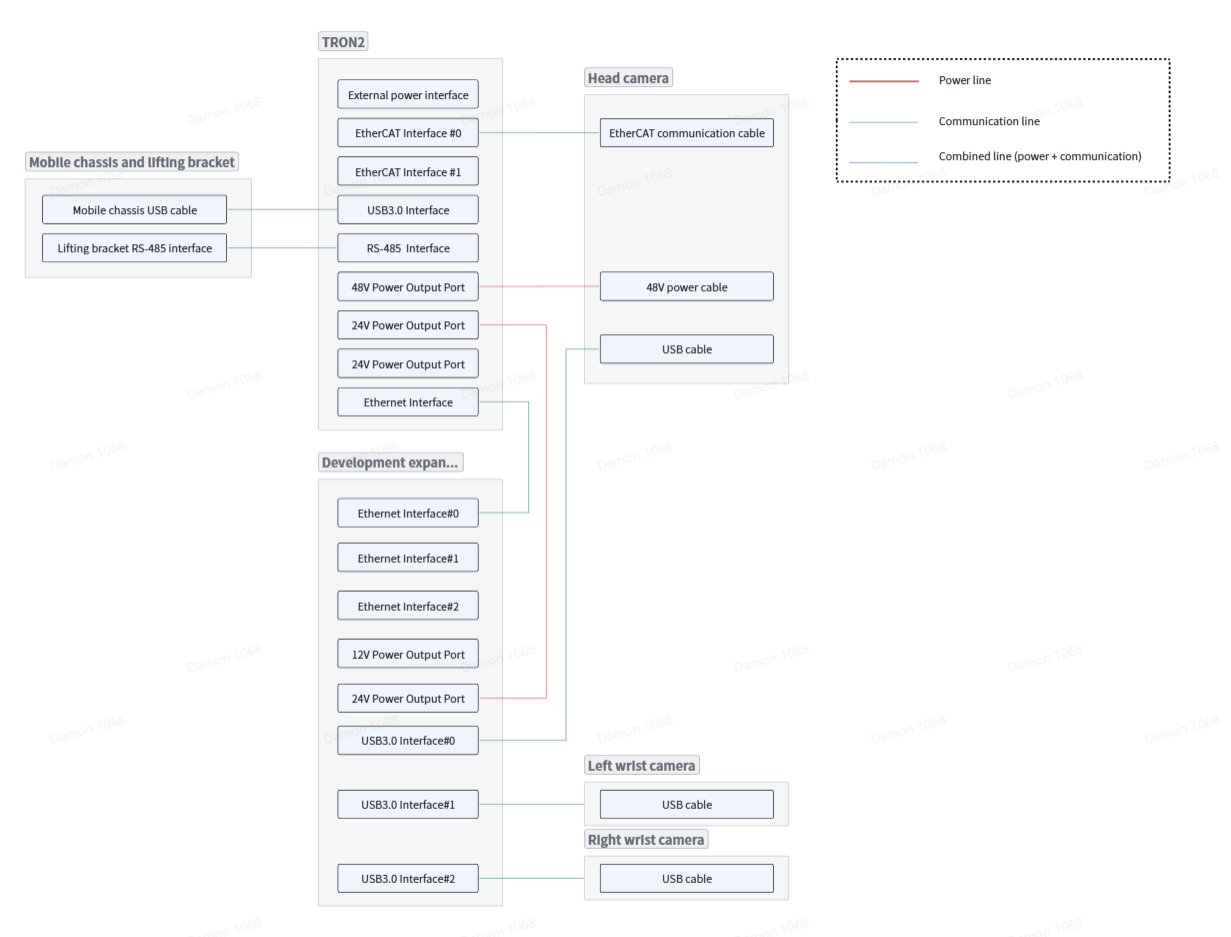
- Check each cable label against its port label as shown in the wiring diagrams. Pay particular attention to the power cable connections.
- Verify the connector orientation. Never force a connector into a port.
- Verify that every connector is fully seated and locked, with no looseness, misalignment, or exposed metal contacts.
- Inspect the cables and connectors for damage, deformation, signs of burning, or unusual odors.
- If you cannot confirm that the wiring is correct, do not power on the robot. Contact the manufacturer Technical Support.
Dual-Arm Robot Wiring
Before power-on, check the Dual-Arm Robot wiring against the diagram below.
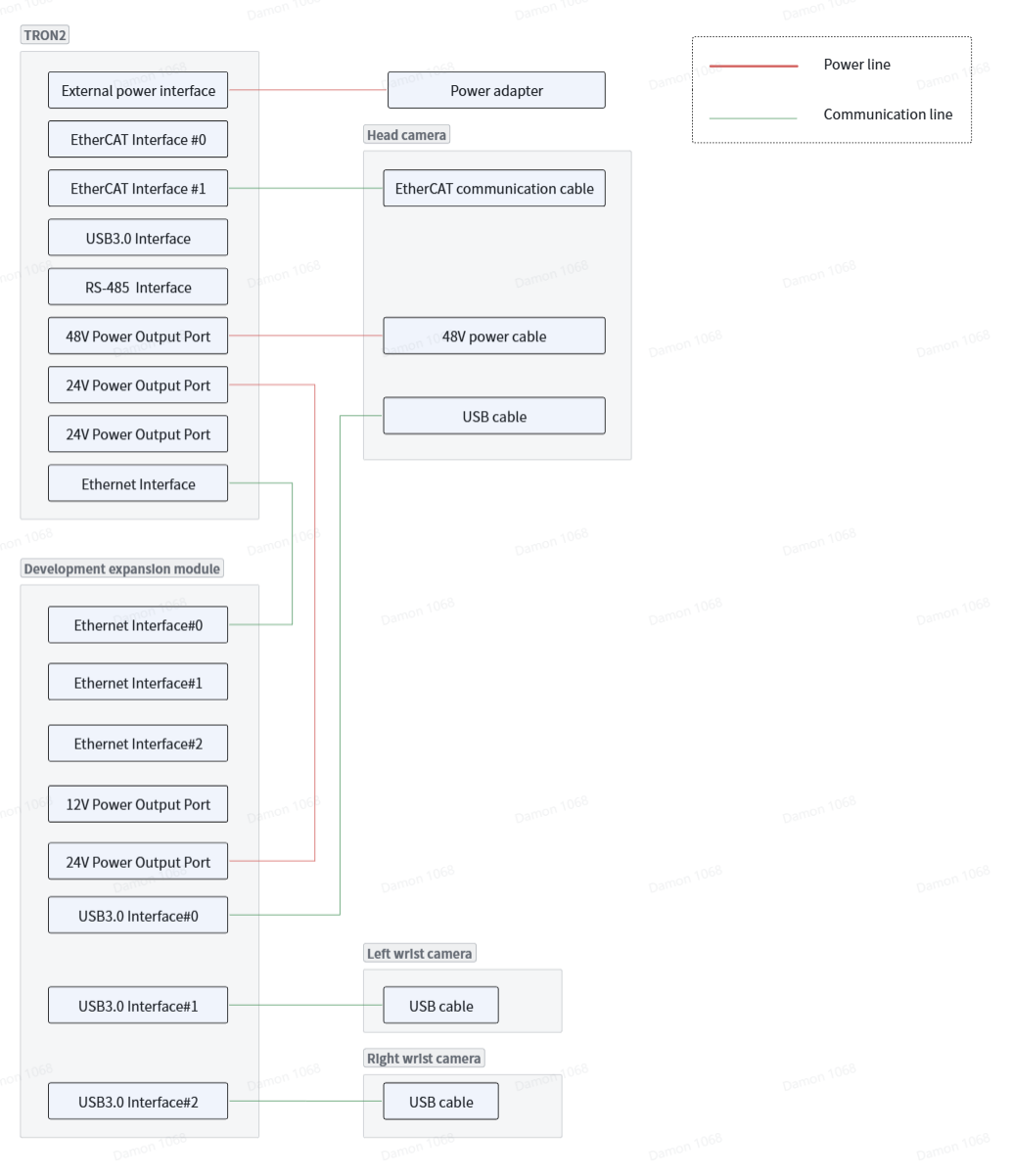
Tip
The robot can be converted from the Dual-Arm Configuration to either the Sole or Wheeled-legs Configuration. The robot-body wiring remains the same. Check the wiring against the Dual-Arm Robot wiring diagram.
Mobile Base Wiring
This wiring diagram applies only to the Mobile Dual-Arms Robot. Before power-on, check the wiring of both the Dual-Arm Robot and the Mobile Base.
Preparation & applicability
1.6.1 Installation Video Guide
| Item No. | Video Title | Video Links |
|---|---|---|
| 1 | Unboxing | Installation video omitted by the confirmed editorial decision |
| 2 | Dual-Arm Installation | Installation video omitted by the confirmed editorial decision |
| 3 | Wheeled-Foot Installation | Installation video omitted by the confirmed editorial decision |
| 4 | Wheeled-Foot Sole Switching | Installation video omitted by the confirmed editorial decision |
| 5 | Anti-Roll Bar Installation | Installation video omitted by the confirmed editorial decision |
| 6 | Remote Controller Pairing | Installation video omitted by the confirmed editorial decision |
| 7 | Packing | Installation video omitted by the confirmed editorial decision |
| 8 | Dual-Arm Remote Control | Installation video omitted by the confirmed editorial decision |
| 9 | Wheeled-Foot Remote Control | Installation video omitted by the confirmed editorial decision |
| 10 | Dual-Arm Teleoperation | Installation video omitted by the confirmed editorial decision |
| 11 | Network Setup | Installation video omitted by the confirmed editorial decision |
| 12 | Zero Calibration | Installation video omitted by the confirmed editorial decision |
Dual-arm configuration details · 1.3 Packing List
Wooden Crate (Mobile Dual-Arms Version upgrade only) | Carton (Mobile Dual-Arms Version upgrade only) |
| |